 Dodaios
 Between August 3 and October 1 we dictated 7,078 times into Personal Jarvis: 225,995 words, a little over 25 hours of speech. Almost none of it went to Jarvis as a question. It went into code editors, chat boxes, terminals and emails, because that is what Jarvis Voice is for. You hold a shortcut, you talk, you let go, and the text appears where your cursor is, in any app.
Jarvis Voice is the dictation half of Personal Jarvis. It does not answer you; it writes for you. While you talk, a small companion on your desktop shows that Jarvis is listening: since Personal Jarvis 2.5.0 that can be a pixel pet instead of the slim Jarvis bar.
One dictation, as the desktop pet shows it
Ember idles, listens while you hold the key, works while the text is made, and rests again.
This post walks through the keys you press, what you see while you dictate, the path your words take from the microphone to the text field, the three times we got it wrong, and what we keep on your disk. “We” means the people building Personal Jarvis and the coding agents that do much of the typing. Every file we name is open source, and the grey chips like insert.py link straight to it on GitHub.
The keys you press
Dictation lives on global shortcuts, so it works in whatever app is in front. These are the defaults:
| Keys | What happens |
|---|---|
Hold Ctrl + Right Alt + J |
Records while you hold the keys. Let go, and the text is inserted at your cursor. |
Ctrl + Right Alt + Space |
Hands-free: press once to start, press again to stop. For anything longer than a sentence or two. |
Ctrl + Alt + V |
Pastes your last dictation again, without recording. For a paste that landed in the wrong window. |
Alt + Win + P |
Hides the desktop pet, or brings it back to the front. |
Right Alt means the Alt key to the right of the space bar; on German keyboards it is labelled Alt Gr. You change the first three under Voice → Shortcuts and the pet key under Settings → My Pets → Customize. A new combination saves the moment you record it, and the page warns you when it collides with another shortcut. On a Mac you record your own combination with Cmd. On Linux under Wayland the system does not let apps own global keys; there you start a dictation with the button in the app.
During a voice call with Jarvis, the dictation key used to hang up the call. Since October 2 it pauses the call’s microphone instead, writes your text into the field, and hands the microphone back. That change is on GitHub and ships with the next release.
What you see while you talk
Dictation has no window of its own. What tells you it is running is the companion you picked under Settings → My Pets: one of the pets, or the Jarvis bar.
The pet and its buttons
A pet floats above your other windows and switches state with Jarvis. While you hold the dictation key it listens (Ember gets sound waves at its ears), and after you let go it works until the text is in your field. The control strip under it shows up while something is happening and when your pointer is on the pet. From left to right:
| Control | What it does |
|---|---|
| Bell | Turns the pet’s “done” cards on or off for this session. |
| Microphone | Mutes Jarvis’s microphone. |
| Three strokes | Stand still at rest, follow your voice while you dictate or talk, and carry a sweeping highlight while the text is being made. A click starts a conversation with Jarvis or ends it. |
| Speaker | Silences Jarvis’s voice for this session. |
| Phone | Calls Jarvis or hangs up. It turns green under the pointer when a click would call and red when it would hang up. |
The bell and the phone button are the newest parts. They are in figure 1 and in the app we build Jarvis with, and they arrive with the next release; Personal Jarvis 2.5.0 has the pets with the microphone, the three strokes and the speaker. If you want the buttons on screen all the time, switch on Always show the buttons under Settings → My Pets → Customize. The pets themselves, and how to draw your own, are in our post about them.
The Jarvis bar
The bar is the quieter choice and still the default: a small pill at the bottom of your screen. It carries no text, so every state has to be readable from its shape and colour alone.
The same dictation on the Jarvis bar
Resting, recording while you hold the key, transcribing after you let go, done.
Five looks, each with one meaning
The Jarvis bar around a dictation, at the size each look has on screen relative to the others.

Resting
A slim pill with muted dots. Nothing is recording.

Recording
Gold bars that rise and fall with your voice while you hold the key.

Transcribing
A highlight sweeps along the row: you let go and the text is on its way.
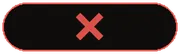
Did not happen
A red cross that breathes, then clears: Jarvis could not start what you asked.

Prompt Mode on
A sparkle in the resting pill. Click it to pause Prompt Mode.
Two of these looks exist because the obvious version lied. Dictation first borrowed the bar’s voice-conversation looks: “listening” while you spoke and “thinking” afterwards. But a listening bar has a hang-up button, and a click on it during a dictation would have ended a call that did not exist. So dictation got two modes of its own, dictate and dictate_transcribing, and both ignore clicks. The rule is written into modes.py: a dictation mode claims the microphone is recording, so it may never be shown when it is not. The pets read the same two modes and play their own “listening” and “thinking” rows for them, in state_machine.py.
The red cross came later, for the same reason. If you pressed the shortcut while something blocked a dictation, nothing happened at all, and the reason went to a log file you could not see. Now the bar answers every key press, even with “that did not happen”.
If you build anything that listens, give every state its own look, and make the “no” visible too. A shortcut that silently does nothing teaches people the feature is broken.
From key press to text, in nine steps
Here is the whole path. The first three steps, and the live preview beside them, run while you are still talking. The rest happen after you let go, and that part is what you wait for.
Your audio stays on this computer unless you choose otherwise
The steps of one dictation and where each one runs. Hover a step for its source file.
Swipe sideways to see the whole chart.
A few of these steps deserve a closer look.
The microphone signal is not filtered. audio_preprocessing.py records 16 kHz mono and keeps it byte for byte. The libraries we use for capture offer no echo cancellation or noise suppression that works the same on Windows, macOS and Linux, and a filter added just because a setting exists can delete quiet speech. So the history records honestly that these are unavailable, instead of pretending.
Silence is never uploaded. A recording is cut into pieces at the quietest moment near every eight seconds, so no word is cut in half. A piece with no speech energy in it is dropped before any model sees it. That matters more than it sounds: speech models fed silence like to invent a sentence, and “Thank you for watching” in the middle of your email is the classic. segment.py judges this on loudness only, never on the text that came back, because a made-up sentence and a real one are both just words.
Long recordings are read in overlapping windows. The final text comes from 25-second windows that share 1.5 seconds of audio, so a word on the boundary is heard whole at least once. merge.py then removes the doubled words at each seam. It compares a normalised copy (no capitals, no punctuation) and keeps your original text. For Chinese, Japanese, Thai and other languages written without spaces, it compares characters instead of words.
Inserting is the part that breaks. insert.py follows one rule: the text is on the clipboard before the first keystroke, and it stays there if pasting fails. Then it sends the paste shortcut and, a moment later, puts your previous clipboard back. The rule exists because the failures are silent. On Windows, an app running as administrator ignores keystrokes from a normal app, and the system reports success anyway. On macOS, a password field blocks keystrokes from other programs. On Wayland, sending keystrokes into another app is blocked by design. None of these give an error we could catch, so Jarvis tells you which of two things happened: inserted, or left on your clipboard.
Two models: one for the screen, one for the page
The live preview and the final text want opposite things. The preview has to be on screen now and is replaced a second later. The final text has to be right and can take a moment longer. We learned that the hard way.
What broke first: the preview ate the transcript
Our first version sent both to the same cloud speech provider. On July 29 we read our own logs: a dictation used about 40 requests per minute of speech, and 85 % of them were preview updates that were thrown away a second later. The provider allows 20 requests a minute, on its paid plan too. A 137-second dictation hit that limit, five requests were refused, and 367 characters came back for over two minutes of talking.
The preview now runs on your own computer, on Whisper’s small base model, in a process of its own (local_preview.py). On the machine we build Jarvis on it reads the last second of speech in 34 ms and the last eight seconds in 137 ms, against 400 to 1,500 ms for a cloud round trip. The final text never comes from it. If a preview word is wrong, it is gone a second later; that is the trade.
Spend your best model on the words that stay, and the cheapest one on the words that disappear. If you build live captions or a preview of any kind, count how many of your requests produce text the user keeps.
What broke second: German came out half English
Short pieces caused a different problem. A speech model given eight seconds of audio is often unsure which language it hears, and an unsure model does not just mislabel the language: it translates. One continuous German dictation arrived half in German and half in English. The final pass now reads the long 25-second windows instead, and it asks the model to detect the language per window, so you can switch languages within one dictation.
Since September 2 the final pass also runs on your computer when it can, on Whisper large-v3-turbo (local_final.py). It lives in the same separate process as the preview, for a reason we come to below. If it cannot run, the dictation falls back to the speech provider you configured. That fallback always moves to a different provider family, never to a second model at the same company, because an account that is rate-limited is rate-limited for all of its models.
You wait about half a second
The wait you feel is the time between letting go of the key and the text appearing. In August that wait grew with every second you spoke, because the final pass only started when you let go and read one window after another. On August 22 we changed it to read each window as soon as the recording has grown past it, while you are still talking, and to read whatever is left at release in parallel where the provider allows it.
The wait after you let go no longer grows with length
Median time from releasing the key to the finished transcript, by length of the dictation.
Swipe sideways to see the whole chart.
Show the data
| Length | August median | October median | October dictations |
|---|---|---|---|
| Short (under 25 s) | 0.66 s | 0.41 s | 177 |
| 25 to 50 s | 2.20 s | 0.56 s | 19 |
| Over 50 s | 4.60 s | 0.36 s | 4 |
Across the 200 dictations that reached a text field on October 1 and 2, the median wait was 0.42 seconds, and nine in ten were done within 0.81 seconds.
Cleaning up without changing your words
A dictation tool promises one thing: these are your words. Everything between recognition and insertion is built around keeping that promise.
First, your Speech Dictionary (Voice → Dictionary) fixes names and terms the recognizer keeps getting wrong. Its rules run on your computer, on the finished text.
Then a fixed set of rules removes hesitation sounds, in cleanup.py. No model is involved. The lists are short on purpose, and today they exist for English, German and Spanish: “uh”, “umm”, “hmm”, “äh”, “ähm” and a few more. Words that carry meaning in normal speech stay, even when style guides call them filler: “like”, “actually” and “basically” in English, “also” and “halt” in German. If the rules would remove more than a quarter of the words, the text is passed through unchanged. For any other language, nothing is removed.
On top of that you can switch on three optional passes, each done by a text model you choose under Voice → Language:
- Clean up my wording adds punctuation and capital letters, fixes self-corrections (“at 2, no, at 3” becomes “at 3”) and can turn a spoken list into a list.
- Always write in one language translates and cleans up in the same request, so a translation costs one round trip, not two.
- Prompt Mode turns what you said into a finished request for a coding agent. A short answer like “yes, do it” is left alone.
Six provider families can do this, one of them your own local models through Ollama. The model’s answer is only a proposal. polish_guards.py checks it with fixed rules, with no second model involved, and throws it away if it shrank or grew too much, switched language, or started answering instead of formatting. In that case you get your raw words. The same happens when the model is slow: the time budget starts at 1.2 seconds and grows with length up to 2 seconds.
What broke third: a dictionary word nobody said
At the end of August, short dictations sometimes typed a lone “IDE.” that nobody had spoken. Our dictionary was the cause. We passed its words to the cloud recognizer as a hint, and over a pause the recognizer simply recited the hint list. Since September 1, no recognizer gets the dictionary as a hint any more; it only corrects the finished text.
Give a model only the input it needs for its job. A hint that helps on a clear sentence turns into the output on silence.
What stays on your disk, and for how long
Dictated text is some of the most private data the app holds, because it is whatever you were writing. So everything here is local, capped and deletable:
| What | Default | Where you change it |
|---|---|---|
| History: what you said and what was delivered, side by side | Up to 200 entries, 30 days | Voice → Dictation |
| Recordings, only for dictations that failed or came back partly empty | Up to 20 files, 7 days | Voice → Dictation |
| Statistics: counts and durations per day, no text | Kept, so your totals keep growing | Delete all, in the same place |
A successful dictation keeps no audio at all. A failed one keeps its recording so that Restore can transcribe it again once your provider works, instead of losing what you said. Delete all removes history, recordings and statistics in one step.
Two months of our own dictation
We use Jarvis Voice all day to talk to the coding agents that build Personal Jarvis. These are the counts from the statistics file on the machine we build it on.
We dictated 7,078 times in 60 days, 497 times on October 1 alone
Dictations per day, August 3 to October 1, 2026.
Swipe sideways to see the whole chart.
Show the data
| Day | Dictations | Words | Minutes of speech |
|---|---|---|---|
| 2026-08-03 | 51 | 1609 | 10.8 |
| 2026-08-04 | 46 | 2808 | 17.8 |
| 2026-08-05 | 108 | 3126 | 19.8 |
| 2026-08-06 | 90 | 2661 | 17.4 |
| 2026-08-07 | 154 | 5423 | 35 |
| 2026-08-08 | 266 | 8805 | 58.4 |
| 2026-08-09 | 202 | 5878 | 38.6 |
| 2026-08-10 | 251 | 6333 | 40.3 |
| 2026-08-11 | 186 | 5382 | 33.8 |
| 2026-08-12 | 226 | 5950 | 48.2 |
| 2026-08-13 | 291 | 10406 | 79.1 |
| 2026-08-14 | 228 | 7917 | 54.5 |
| 2026-08-15 | 76 | 3066 | 19.5 |
| 2026-08-22 | 177 | 6679 | 40.9 |
| 2026-08-23 | 383 | 14349 | 85.6 |
| 2026-08-24 | 278 | 11270 | 76.1 |
| 2026-08-25 | 265 | 10417 | 64.3 |
| 2026-08-26 | 55 | 2690 | 17.4 |
| 2026-08-27 | 204 | 9116 | 64.8 |
| 2026-08-28 | 164 | 6578 | 41.7 |
| 2026-08-29 | 346 | 10787 | 65.6 |
| 2026-08-30 | 152 | 3528 | 24.1 |
| 2026-08-31 | 53 | 1281 | 9 |
| 2026-09-01 | 133 | 6369 | 43 |
| 2026-09-02 | 209 | 8605 | 55.5 |
| 2026-09-03 | 81 | 2747 | 18.7 |
| 2026-09-04 | 39 | 883 | 6.5 |
| 2026-09-05 | 58 | 811 | 7.5 |
| 2026-09-06 | 103 | 2224 | 17.7 |
| 2026-09-07 | 117 | 3330 | 25.2 |
| 2026-09-08 | 103 | 3145 | 20.3 |
| 2026-09-09 | 146 | 3678 | 26.4 |
| 2026-09-10 | 107 | 2807 | 19.4 |
| 2026-09-11 | 29 | 440 | 4.2 |
| 2026-09-12 | 32 | 499 | 3.8 |
| 2026-09-13 | 45 | 1531 | 10.2 |
| 2026-09-14 | 11 | 132 | 1 |
| 2026-09-17 | 44 | 1026 | 6.4 |
| 2026-09-18 | 34 | 632 | 4.6 |
| 2026-09-19 | 4 | 59 | 0.4 |
| 2026-09-20 | 50 | 1496 | 10.2 |
| 2026-09-21 | 113 | 3004 | 20.1 |
| 2026-09-22 | 4 | 69 | 0.4 |
| 2026-09-23 | 49 | 612 | 4.7 |
| 2026-09-24 | 18 | 138 | 1.6 |
| 2026-09-25 | 57 | 892 | 7 |
| 2026-09-26 | 16 | 285 | 2.2 |
| 2026-09-27 | 56 | 1292 | 8.5 |
| 2026-09-28 | 220 | 8762 | 59.3 |
| 2026-09-29 | 266 | 8225 | 54.5 |
| 2026-09-30 | 185 | 4164 | 32.4 |
| 2026-10-01 | 497 | 12079 | 81.4 |
In the 220 most recent dictations, the median one lasted 6.2 seconds and delivered 18 words. 182 of them went into Jarvis’s own window, mostly into coding-agent terminals, 17 were pasted into other apps, and one stayed on the clipboard because the target refused it. 18 were empty, usually a key pressed without speaking. Most were in German (183) and English (25).
The bug that made the fix slower than the problem
Moving recognition onto the graphics card brought two problems of its own. The first: loading the graphics libraries inside the desktop app froze its window for 15 to 30 seconds on the first dictation after a cold start, because Windows holds a lock while it loads them. Since September 1, both local models live in a separate worker process. If that worker gets stuck, Jarvis ends it and starts a fresh one, which is the only real recovery a stuck native engine has.
The second was a single word. Our settings store the language as “auto”, and every cloud provider treats that as “detect it yourself”. The local engine did not: it rejected “auto”, crashed on every key press, and locked itself out for a minute before the cloud took over, after a 45-second wait. The cloud behind it answered in 0.57 seconds. The local pass we built to remove lag had become the lag. The fix on September 3 was one mapping, and a test fake that now behaves like the real library.
When you put a faster path in front of a slower one, test what happens when the faster one fails. Ours failed slowly, and that was worse than not having it.
Where it runs
Jarvis Voice runs on Windows, macOS and Linux, with limits the operating systems set:
- Windows: an app running as administrator ignores the paste from a normal app. The text stays on your clipboard.
- macOS: Jarvis needs Accessibility and Input Monitoring access, and password fields block it. The text stays on your clipboard.
- Linux with X11: global shortcuts need the optional desktop hotkey support. Without it, start a dictation with the button in the app.
- Linux with Wayland: global shortcuts and typing into other apps are blocked by design. Use the button and paste.
- Headless server: there is no microphone and no text field, and dictation says so.
The full table and every setting are in the dictation guide in the repo.
What to take from this
- Start with the defaults: hold
Ctrl+Right Alt+J, speak, let go. Change keys under Voice → Shortcuts. - Pick what shows your dictation under Settings → My Pets: a pet or the Jarvis bar.
Alt+Win+Phides the pet when it is in the way. - Use hands-free for anything long:
Ctrl+Right Alt+Spacestarts, the same keys stop. - When a paste goes nowhere, press
Ctrl+Alt+V, or copy the text from Voice → Dictation. - Teach it your names under Voice → Dictionary instead of correcting the same word every day.
- Keep the audio on your machine: with a graphics card and the local model installed, recognition runs on your computer. Turn on a wording pass only if you are fine sending the text to the provider you pick.
The code is in PersonalJarvis/PersonalJarvis, and you can get the app at personaljarvis.ai. If dictation drops a word or pastes into the wrong place for you, tell us in an issue on GitHub, with the outcome badge from the history row.
How we measured. Figure 6 and the totals come from dictation_stats.json on the machine Personal Jarvis is built on, which stores per-day counts and durations without any text, from August 3 (its first day) to October 1, 2026, in local days. The wait times and the outcome and language counts come from the 220 most recent entries of the local dictation history, recorded between October 1 and 2, 2026; every one that was transcribed ran on the on-device recognizer; wait times count only dictations that reached a text field and use the history’s own release_wait_ms measurement. The August medians are quoted from the message of commit c34fd84dd, which read them from the history at the time; the commit does not define “short”, so we put it next to our under-25-seconds group. Preview latencies and request counts are the measurements written into local_preview.py and preview_budget.py. Figures 1 to 3 are rendered with the app’s own drawing code for the pets, their control strip and the bar, from the source on the machine we build Jarvis on as of October 2, 2026; the voice level in figures 1 and 2 is synthetic. No dictated text was read for this post.